
MAK Canadian Immigration Services · Digital client experience
From first question to organized immigration intake.
Try MAK’s public Immigration Scanner, speak with a licensed consultant and, if you retain MAK, provide your case-specific information through Caseflow.
Scanner is an introductory tool, not an eligibility determination or government application. Private portal access is for retained clients.
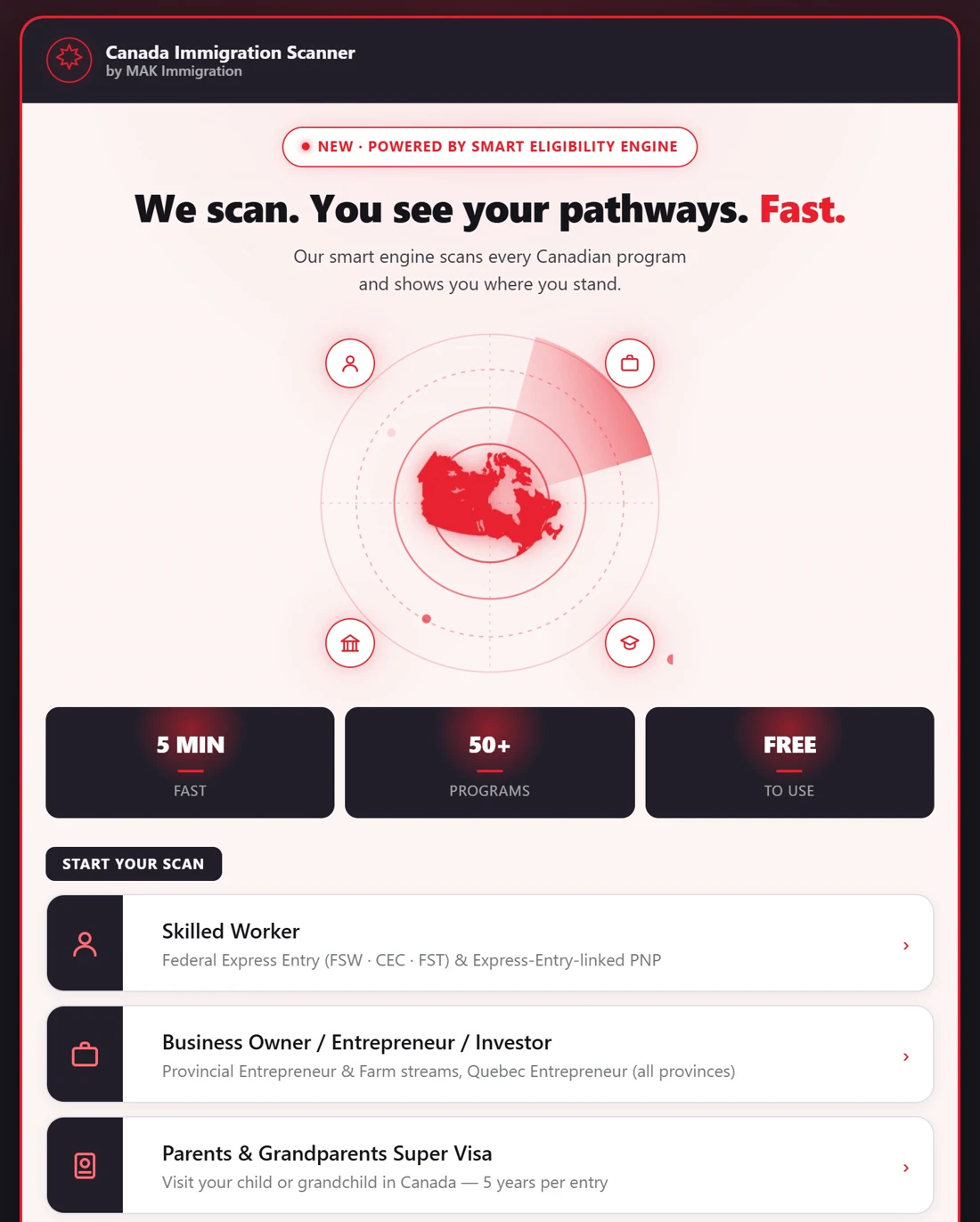
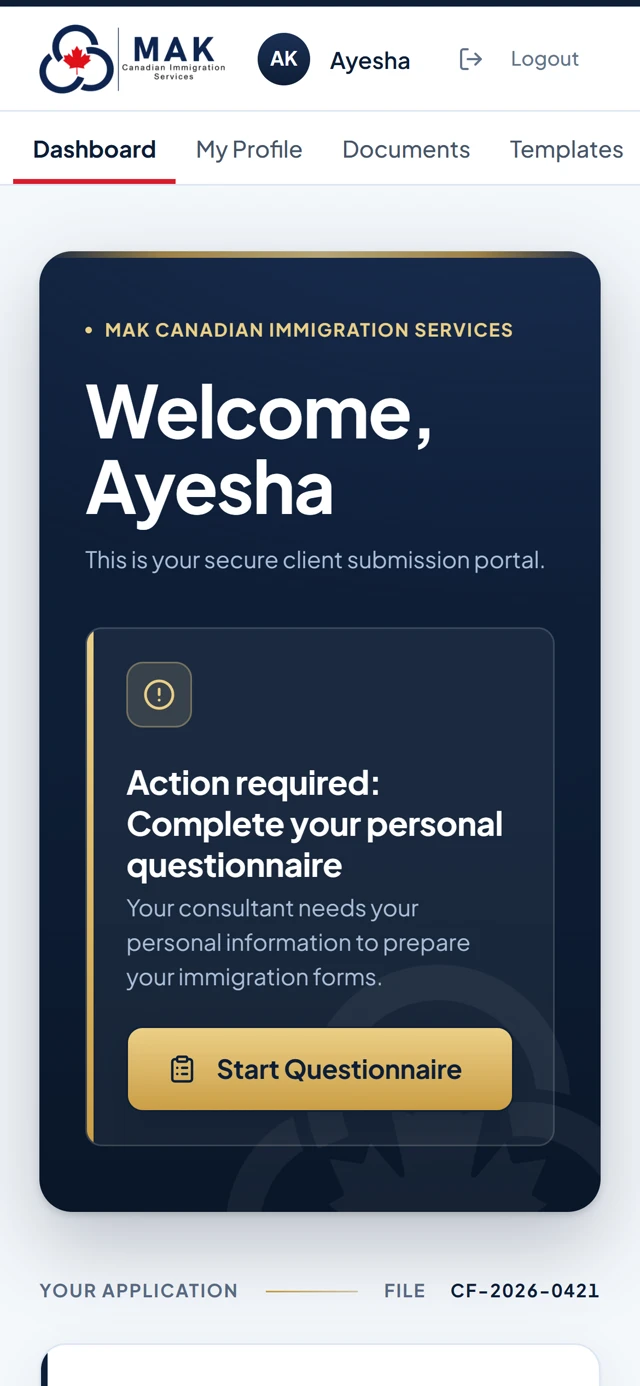
Real screens: the free public Immigration Scanner and the Caseflow client portal. Portal shown with a fictional demonstration client.
Two tools. Two different purposes.
Digital convenience without replacing professional judgment.
Whether you are researching immigration options or already working with MAK, the next step should be clear. These tools serve different stages of the relationship.
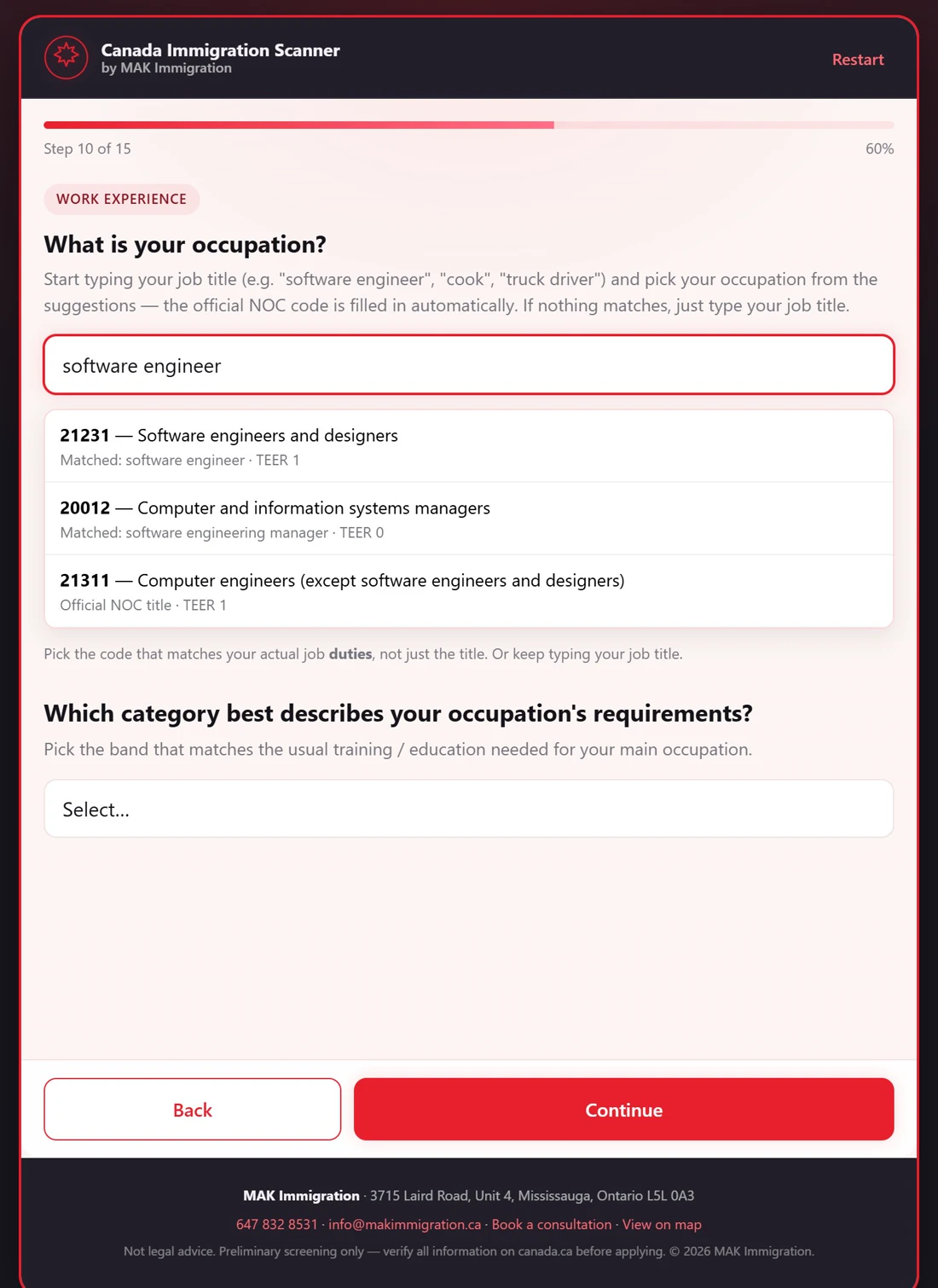
Immigration Scanner
A starting point for exploring Canadian immigration pathways. Use it to frame questions for a professional consultation — not as a guarantee that you qualify.
- Free public scanner on MAK’s website
- Explore possible immigration options
- Move directly to consultation booking when you need case-specific advice
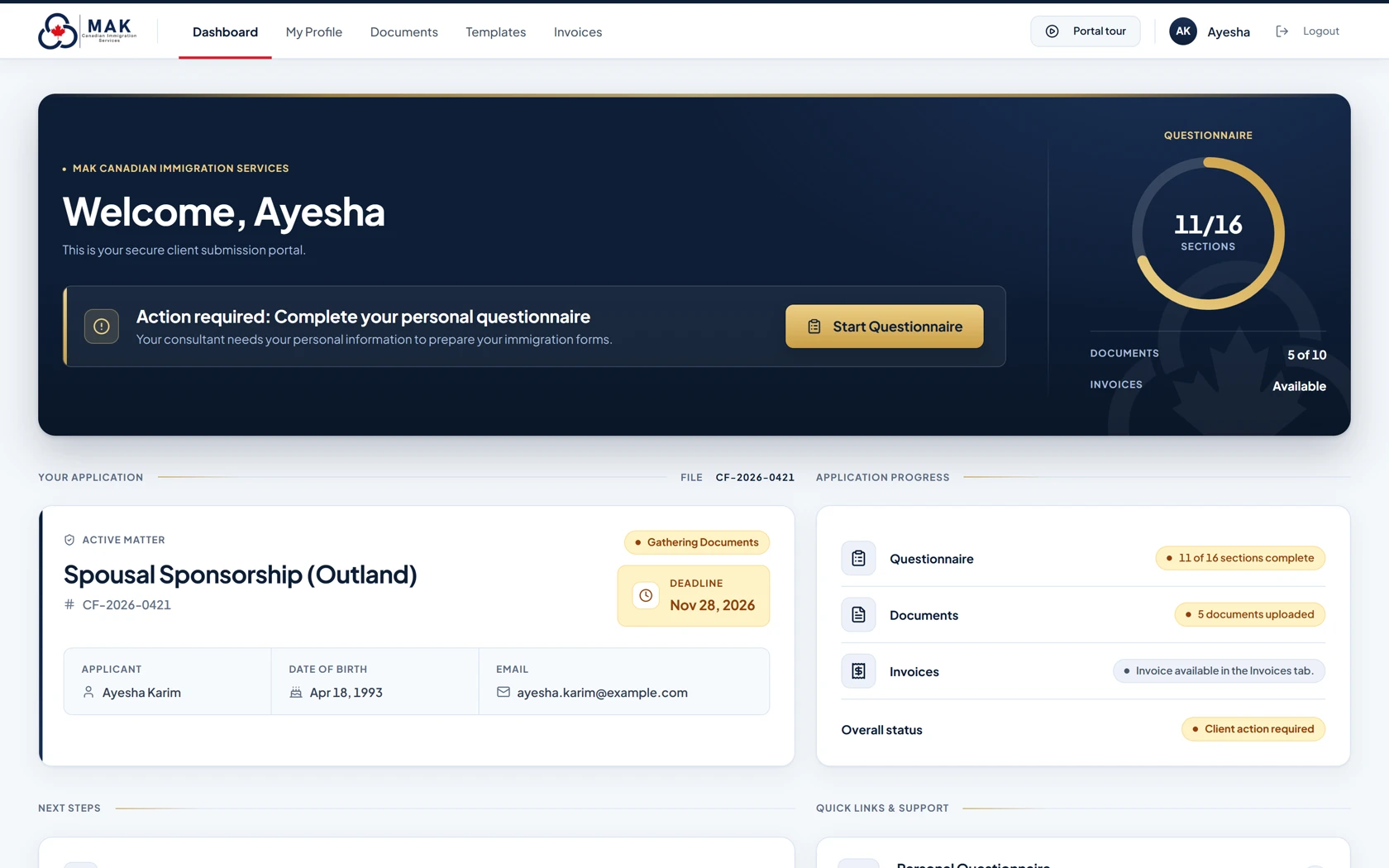
Caseflow secure client intake
MAK’s client-intake portal helps retained clients supply information and requested records for the immigration service covered by their engagement.
- Complete guided questionnaires with automatic saving, where included in your file
- Upload requested documents; read-assist may populate questionnaire details from supported records, which clients should check and their RCIC reviews as part of the file
- Access available prepared forms, records, invoices and receipts
After you retain MAK · Inside Caseflow
Your documents become answers. Your file stays organized.
Retained clients work in Caseflow: a guided questionnaire tailored to the application, a clear document checklist, and read-assist that can fill questionnaire answers from supported uploads — always checked by the client and reviewed by their RCIC.
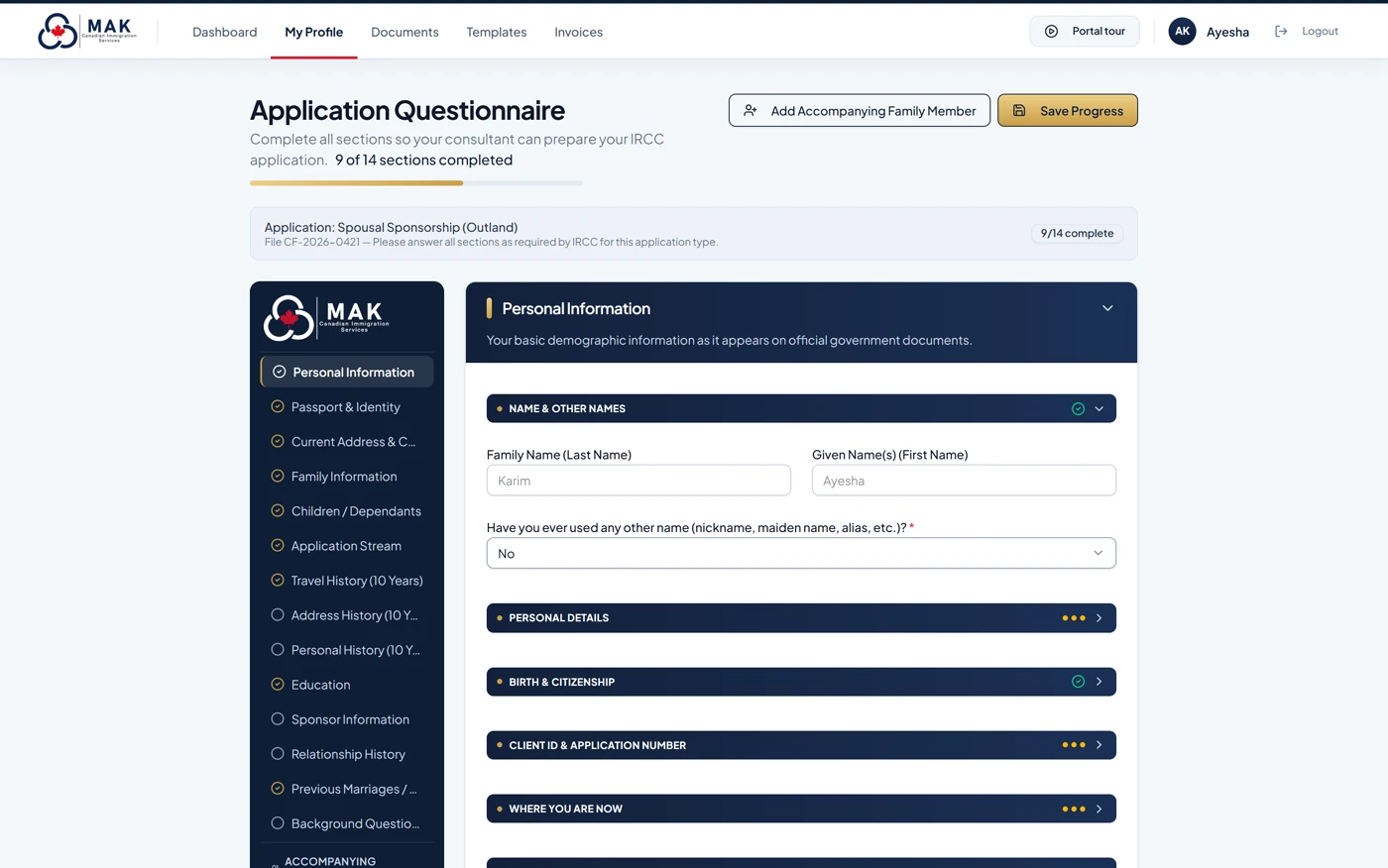
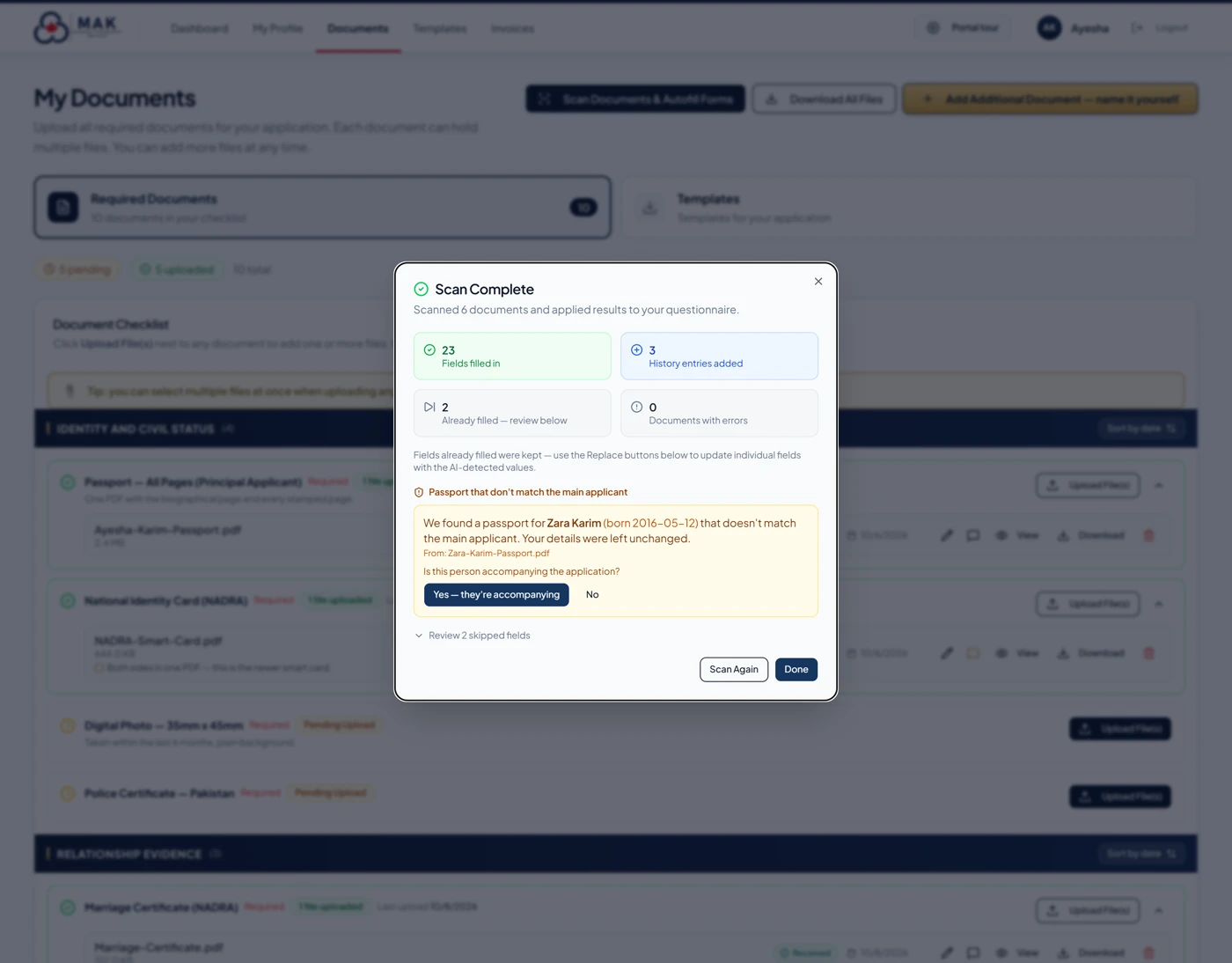
Screens shown with a fictional demonstration client — never real client data. Features depend on the file and the service retained. See the full Caseflow page →
The experience, explained
From an initial question to a more organized file.
These are typical stages, not a universal checklist. The process, documents, professional work and timing depend on your circumstances and service agreement.
Scan
Explore possible pathways and identify matters you want to discuss.
Consult
Speak with MAK about your immigration objectives and available professional services.
Onboard
If you retain MAK, receive the instructions for your file and Caseflow access.
Prepare
Provide requested information and work with your consultant on the agreed service.
Human accountability
Your digital intake is not your immigration representative.
Electronic questionnaires and document organization help prepare a file. Immigration eligibility advice, document sufficiency, legal strategy and case preparation are professional services governed by your engagement. Government decisions remain with the responsible authorities.
MAK’s regulated Canadian immigration consultants include Usman Khalil (RCIC R709592) and Omer Khalil (RCIC R710149). The consultant handling a matter depends on the specific engagement. Verify RCIC registration with the College of Immigration and Citizenship Consultants.
Frequently asked questions
Questions about digital immigration intake.
Can I use the Immigration Scanner before becoming a MAK client?
Yes. The Immigration Scanner is publicly available on MAK’s website. It is a general starting point, not a case-specific legal assessment or confirmation of eligibility.
Can I create a Caseflow account without retaining MAK?
No. Caseflow access is arranged by MAK for retained clients. New enquiries can first book a consultation to discuss available services.
What can I submit through Caseflow?
Depending on the engagement, you may be asked for questionnaire answers, identity records and other supporting documents. The requests and available file features depend on your matter and the services retained.
Does uploading documents mean my application has been submitted to IRCC?
No. Caseflow is a MAK client-intake system, not an IRCC account. Providing information to MAK does not itself submit a government application.
Does the Scanner or portal guarantee an immigration approval?
No. Neither tool guarantees eligibility, approval, faster government processing or a particular result. Professional advice and preparation are separate from any decision by IRCC or other authorities.
Start at the right point
New to MAK, or already a client?
Explore your possible pathways, arrange professional advice, or return to your existing client-intake instructions.
MAK Canadian Immigration Services is not a Government of Canada website. Scanner results do not replace an individual professional assessment. Portal access and features depend on the engagement. Privacy · Terms · Contact MAK.

